


Automated ad budgets that actually respect your limits
Set a clear spend for a defined period and let AiHello enforce it at the level that makes sense for you: product, campaign, portfolio, or your entire account. Choose whether to simply get notified or to automatically pause ads as soon as the budget is reached. This is built for teams that need discipline at scale and brands that allocate spend with intent.
How it works. In four focused moves
- Scope
Apply a budget to a product, a campaign, a portfolio, or your entire account.
- Timeframe
Choose the period you want to control (for example a week, a month, a quarter, or custom dates).
- Cap
Enter the total amount you want to spend on ads within that period.
- Behavior
When the cap is hit, either notify the team or auto‑pause ads.
Why budgeting matters
Control spend without micro‑managing
Budgets enforce discipline automatically so you don’t have to keep one eye on the meter all day. When the limit is reached, AiHello follows your instruction to send a notification or pause ads.
Works at the right level of granularity
Target the exact layer you care about: individual products, specific campaigns, roll‑up portfolios, or the whole account for a clean, top‑down cap.
Account Portfolio Campaign ProductTime‑boxed by design
Budgets are always tied to a defined period. You decide the time window and the spend cap, AiHello keeps the spend inside the lines.
Ideal for brand allocations
Large brands often set aside a fixed amount for ads. Budgeting makes sure you honor that allocation precisely, no last‑minute overruns.
Practical examples
Example · New product launch
Cap the launch campaign at a set spend for the first 30 days. If the budget is reached early, auto‑pause ads and review performance before extending.
Example · Quarterly portfolio control
Apply a single budget to a portfolio of campaigns. Receive a notification at the cap so finance and marketing stay in sync.
Example · Account‑level guardrail
Set a top‑level account cap to ensure you never exceed a pre‑approved total, regardless of how many campaigns are in flight.
What you’ll see
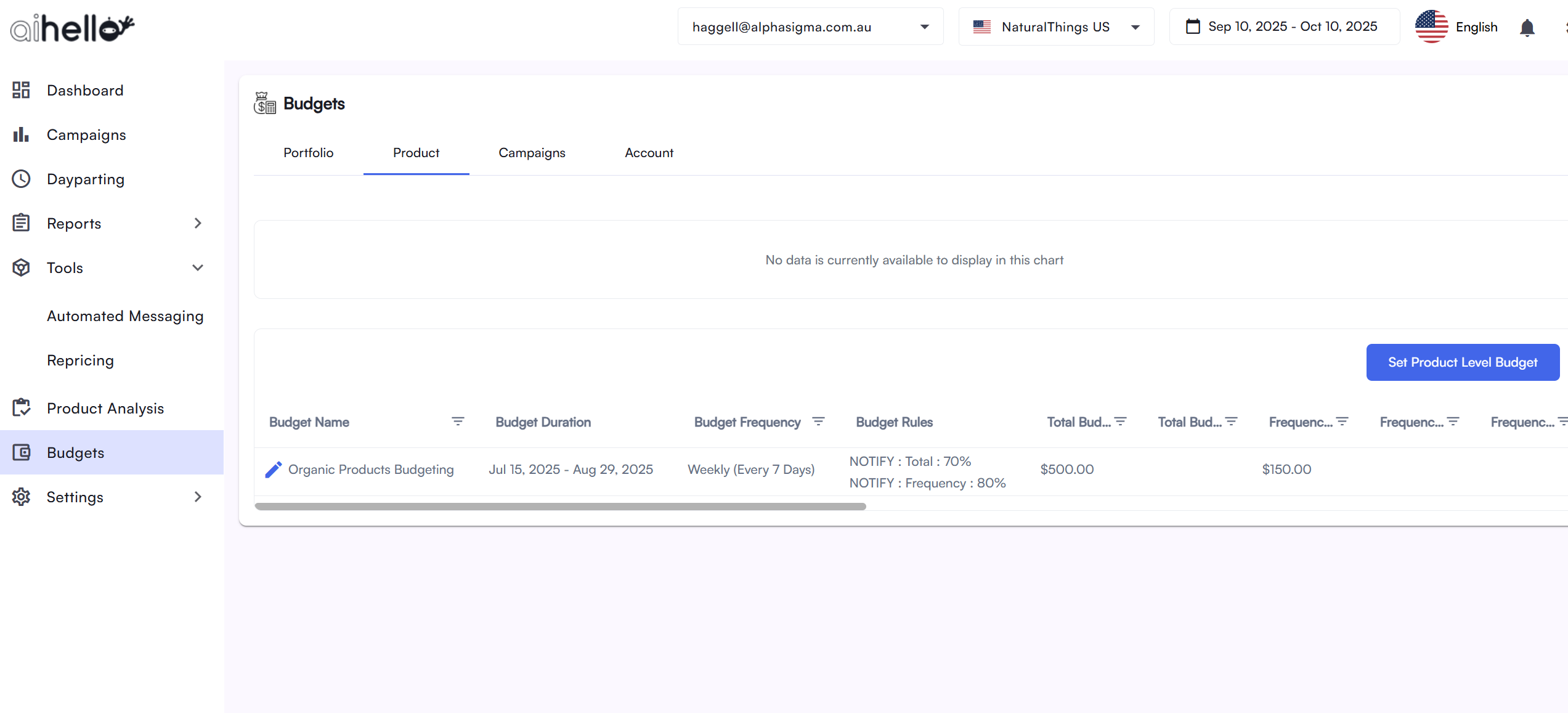
Budget progress
Track how much of the period’s allocation has been consumed and what remains.
Actions at the limit
When the cap is hit, AiHello does exactly what you chose: notify the team or pause ads.
Smart use, clear expectations
Use budgets to enforce intent
Budgets are about control, not about squeezing performance out of weak ads. If ACOS is off, fix targeting and bids. Use budgets to keep spend honest while you optimize.
Pick the right level
Need broad discipline? Set an account or portfolio cap. Need surgical control? Use campaign or product budgets. Don’t mix signals and be deliberate.
Quick answers
Can I just get notified?
Yes. You can choose to receive a notification when the limit is reached instead of pausing ads.
Where can I apply budgets?
At the product, campaign, portfolio, or account level; whichever matches your control needs.